
DFW Airport is one of the largest and busiest airports in the world, covering around 7 square miles and consisting of five terminals: A, B, C, D, and E. When you travel from DFW Airport, one of the most important things to consider in advance is what your security wait times may be at the airport. As always, the straightforward answer here is “it depends”. However, with proper information in advance, you will know exactly what to expect.
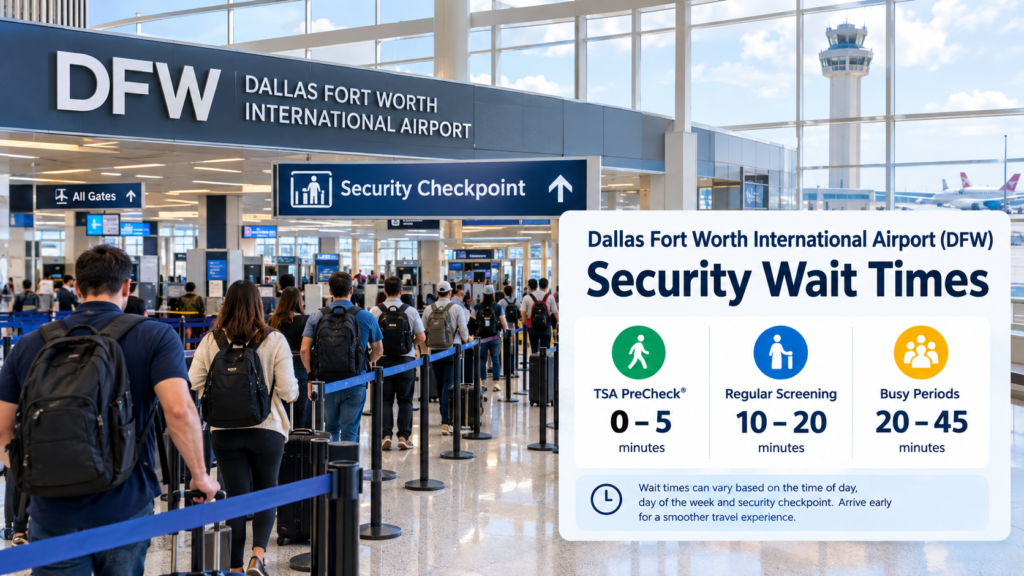
Here you will learn what security wait times to realistically expect from DFW airport, how DFW helps you find out about those wait times before you arrive, and how you can get through the checkpoint faster.
Why DFW Airport Checkpoint Wait Times Vary So Greatly?
The security checkpoint at DFW Airport is not just one but a total of five separate terminals. Several elements always contribute to the checkpoint’s wait times:
- Time of the day – Morning (5 AM to 8 AM) and afternoon (4 PM to 7 PM) are the busiest times due to American Airlines’ flight banks. American Airlines is the primary airline in DFW and dominates its operations.
- Day of the week – Weekends (Sunday/Monday) and holidays are busier than the rest of the weekdays.
- Terminal – American Airlines uses Terminals A, B, C, and E, whereas Terminal D is used by the international carriers.
- Staffing/equipment – Just like every other TSA checkpoint, there are many instances when wait times can suddenly increase due to staffing shortages or machine malfunctions.
- Weather/ground delays – Weather is not uncommon in North Texas and sometimes causes ground delays.
Typical Wait Times for Each Terminal
The information provided below changes on an ongoing basis; consider this to be a general pattern and not a live guarantee – it’s always better to check the DFW resources (described below in more detail) just before your flight.
| Terminal | Major Carriers | Typical Wait Time During Non-Peak Hours | Typical Wait Time During Peak Hours (5-8 AM / 4-7 PM) |
|---|---|---|---|
| A | American Airlines | 5-10 minutes | 20-30 minutes |
| B | American Airlines | 5-10 minutes | 20-30 minutes |
| C | American Airlines | 5-10 minutes | 20-35 minutes |
| D | International flights, other airlines | 10-15 minutes | 25-40 minutes |
| E | American Airlines | 5-10 minutes | 20-30 minutes |
Terminal D takes a bit more time since international flights depart from there, which may require extra document checking in addition to regular security clearance.
When to Arrive at DFW?
The official advice of DFW Airport is very clear:
- Domestic flights: Arrive at least 2 hours before departure.
- International flights: Arrive at least 3 hours before departure.
- Holidays & peak travel periods: Include an additional 30 minutes beyond the above.
Due to the sheer size of the airport, this buffer is not just related to the wait time through security screening but will also cover the time required to park (or drop off) your vehicle, navigate to your terminal, drop off baggage if necessary, and ride the Skylink train – an automated, free train that takes passengers around the entire airport between its five terminals every two minutes. If your connecting gate is in another terminal, add 10-15 minutes.
Tools to Look Up Security Wait Times at DFW Before Your Flight
There’s no need to guess. The Dallas Fort Worth International Airport has made several tools available to look up its security wait times before you travel:
- Official website of DFW – It provides information on security wait times, parking, and other travel day details on its site.
- MyTSA app – This is a free app developed by TSA that offers wait time estimates and security tips for airports throughout the US, including DFW.
- Airport app and screens – The mobile app of DFW and screens in the terminal usually provide wait time information in near real-time when you have already reached the airport.
Using any one of these 30–60 minutes prior to leaving for the airport will help you determine whether you need some extra buffer while traveling.
Techniques to Save Time at DFW Security
For regular flyers at DFW, there are a few programs and techniques that can save you considerable time at the security checkpoint:
- TSA PreCheck – Those who have undergone pre-screening can use the dedicated lanes without removing their shoes, belts, light jackets, laptops, and liquids. It has been found that the wait times for PreCheck lanes are always less, often more than 50% less than those for the normal lanes.
- CLEAR – This is a biometric identity verification program that allows its members to bypass the document-check queue and proceed directly to screening. It can be used in combination with TSA PreCheck to save even more time.
- Automated Screening Lanes (ASLs) – DFW has deployed ASLs at some checkpoints (including checkpoints in Terminals A, D, and E) where multiple travelers can load their bins at the same time rather than one traveler loading the bins at a time in the traditional lanes.
- Known Crew Member (KCM) lanes – Dedicated lanes for the eligible airline flight crew members.
- Pack smart – Keep liquids, laptops, and any items needing to be screened separately handy for easier binning.
- Travel light with carry-ons whenever possible – The fewer items in your carry-on means less bag check time if you are selected for additional screening.
When Is It Best/Worst to Go Through DFW Airport Security?
If you have some flexibility with your flight schedule, planning around certain times can help:
- Best times: Early in the morning (prior to 5 AM) and mid-afternoon slow periods (approximately 1–3 PM) are likely to have shorter lines, as they occur outside the busiest banked periods.
- Worst times: Early morning departures between 5–8 AM and evening departures between 4–7 PM, as American Airlines has its largest banked flights during these periods, meaning larger volumes of passengers going through security at once.
- Look out for weather-related problems: North Texas thunderstorms and high winds are common, particularly during the spring months, and will often cause ground stops and ground delays as flights are rebooked into new time slots.
Conclusion
The size and the number of passengers passing through DFW airport cannot make waiting time predictable, but they are far from being random. The peak hours are those when American Airlines’ flight banks operate, Terminal D works somewhat slowly because of international processing, and the weather can spoil a good working day. However, there is something positive about DFW – it provides passengers with means to prepare for everything. First of all, visitors can use information about wait times provided by DFW on their website. Also, programs such as TSA PreCheck, CLEAR, and Automated Screening Lanes can reduce waiting time considerably. Visitors should arrive with the advised margin (2 hours for domestic flights, 3 hours for international ones). It will take some effort, but it will definitely be worthwhile considering how large the airport is.
Frequently Asked Questions
Security line wait times depend on terminal and time of day, but travelers generally wait 10–20 minutes, or even 30 minutes during the busiest parts of the day.
Yes, TSA PreCheck lanes are provided at DFW’s various terminals; however, you should check the DFW website or application for accurate information since the location and operational hours of TSA PreCheck lanes may vary.
Terminal D, where most international flights depart from, is known for longer lines on average because of the additional document verification associated with international travel.
Yes, wait times for DFW security checkpoints can be found online on DFW’s official website, or the MyTSA application will provide such estimates that might help you plan your departure time.
Yes, frequent flyers use both TSA PreCheck and CLEAR programs simultaneously because TSA PreCheck eliminates the need for physical security screening, whereas CLEAR allows you to skip the identity verification stage.